

I wanted a simple jQuery crossfade effect for an image cycler last week, and surprisingly couldn’t find anything suitable. So I ended up writing my own, and here it is. Tested in IE6/7/8, Firefox 3, Chrome, Opera 9/10, Safari 4, all on Windows XP, IE8/9, Firefox, Chrome and Safari 5 on Win 7, Safari 5 on Mac OS X/Snow Leopard, and Android Browser and Dolphin on Android.
The demo
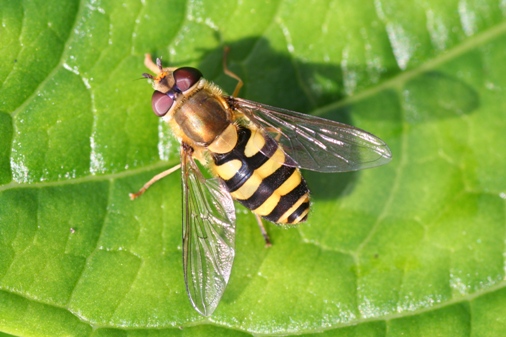

This basic demo page will show you exactly what’s needed.
The code
You need the following basic html:
<div id="cycler">
<img class="active" src="image1.jpg" alt="My image" />
<img src="image2.jpg" alt="My image" />
<img src="image3.jpg" alt="My image" />
<img src="image4.jpg" alt="My image" />
</div>
Here’s the necessary css – just to show the z-index and positioning – you’ll need to add some more to position as required. Depending on your layout you may also need to set the height and width on #cycler to match your images:
#cycler{position:relative;}
#cycler img{position:absolute;z-index:1}
#cycler img.active{z-index:3}
And here’s the javascript:
function cycleImages(){
      var $active = $('#cycler .active');
      var $next = ($active.next().length > 0) ? $active.next() : $('#cycler img:first');
      $next.css('z-index',2);//move the next image up the pile
      $active.fadeOut(1500,function(){//fade out the top image
	  $active.css('z-index',1).show().removeClass('active');//reset the z-index and unhide the image
          $next.css('z-index',3).addClass('active');//make the next image the top one
      });
    }

$(document).ready(function(){
// run every 7s
setInterval('cycleImages()', 7000);
})
The logic
All the images are loaded with the page and positioned absolutely on top of each other, all with z-index=1. One image is initially set with a class of “active”, which is positioned on the top of the stack with z-index = 3.
Then, using jQuery, I’m identifying the active image, and then the next image down. I’m doing this via the jQuery .next() method. If there isn’t a next image – if we’re at the end of the images – I’m selecting the first image instead using .first().
Now, once I’ve identified the next image, I’m assigning z-index=2 to this so it’s the second image down in the pile – and hence is visible when the top image fades out.
Then, I’m fading out the active image. When this completes there’s a few things to do. First, I’m setting the z-index of the active image (now faded out) back to z-index=1. Then, I’m reversing the fade by using the show() method. It won’t be visible now because of the z-index. Finally, I’m removing the active class. Effectively, I’m putting this image back into the bottom pile.
Nearly there. Then, with the next image, which is now on top anyway, I’m assigning z-index=3, and then adding the active class to this image.
Finally, all of this code is sitting in a function which I’m calling every seven seconds via setInterval().
Responsive version
Making this responsive (without media queries, which is what this page uses) is pretty striaghtforward. The trick is to use a ‘base’ image which is not absolutely positioned to set the dimensions of the cycler and then apply a max-width to #cycler. The base image is then cloned and the cloned version is faded in and out. Have a look at the responsive demo here.
Help! It doesn’t work
If you hit problems, start off by looking at my beginners’ guide to debugging jquery. Most of the problems encountered by users are listed here.
Can I use this on my site?
Probably. See my policies on using code from this site.
Variations on the basic crossfade
Here are a few variations, mostly built in response to questions or comments on the basic code. View the source to see how they’re done.
Cycle through images once and then stop
Multiple cyclers on a page (with a common periodicity)
Multiple cyclers on a page (with different periodicity)
Multiple cyclers with slideshow controls
Superimpose text on the cycler
Cycler with fadeout transition

